
Mnemory Notes · Available
Note-taking software and personal memory
Your notes know more than you think.
Mnemory Notes turns your scattered notes, documents and transcripts into a private, structured, portable and searchable personal memory, with or without artificial intelligence.
Your notes stay yours. Your assistants can change. Your memory continues.
Mnemory Notes keeps your ideas in an open, portable format. Find, organise and enrich them from Mnemory, ChatGPT or Claude, only within the access you authorise.

Notes Essentiel
A plan for your own notes.
€39.00 incl. tax / year
or €3.90 incl. tax / month
1 person · 2 GB · all your devices
7-day free trial for a new account. Payment method required. First charge after 168 hours unless cancelled beforehand. Automatic renewal.
Create my Mnemory Notes spaceA Web app for computers, tablets and phones, installable as a PWA where supported by your browser. Offline drafts are not a complete copy of your workspace.
Interface in French, English, German and Spanish.
Commercial availability: France, Belgium, Germany, Spain and the Netherlands.
Cancel from your subscription settings. Access continues until the end of the paid period, followed by 30 days of read-only access to export or delete your data.
Withdrawal period: 14 days. If you request immediate activation, the proportionate cost of service already provided remains payable upon withdrawal.
AI is optional. External AI services have their own terms and limits. Dictation depends on service activation; no unlimited AI or transcription allowance is promised.
Need more space? 20 GB for €69/year or €6.90/month; 100 GB for €109/year or €10.90/month, including tax. One user per plan.
Terms of sale and use →A memory that continues
Return to your ideas, decisions and projects without rebuilding their context with every new conversation.
Notes that stay portable
Export your Markdown notes with their attachments. Your memory does not depend on a closed format.
AI that stays under your control
Use Mnemory Notes on its own, with ChatGPT or with Claude. Choose which folders are accessible and revoke any permission.
Mnemory Notes aims not only to store more notes, but to help you keep thinking with them.
With ChatGPT and Claude
Switch assistants. Keep the context.
The same personal memory can accompany several assistants without belonging to any of them.
An idea from a conversation can become a lasting note, ready to find and expand from your other assistant. Less copying and pasting, less rebuilding context.
Connecting assistants is optional. Mnemory Notes also works independently.
Currently included in your Mnemory Notes plan
Already have an account? Connect your assistantExample workflow
In ChatGPT
“Create a note with the ideas from our conversation.”
In Claude
“Find that note and add these details.”
In Mnemory Notes
Review, organise and keep the same note.
You explicitly choose each assistant’s folders and permissions. You can revoke its connection at any time.
Features, clearly explained
The everyday essentials. More detail when you need it.
| Feature | What you can do |
|---|---|
| Markdown writing | Write and format notes in a visual editor, using an open format you can export. |
| Folders, tags and favourites | Organise notes by project or topic and quickly return to your favourites. |
| Search your notes | Find a word or phrase in the current note or across all your notes. |
| ChatGPT and Claude connection | Create, read and expand notes from an assistant, within the folders and permissions you authorise. Currently included in your Mnemory Notes plan. |
| Links between notes | Connect two notes and find the notes that link to the one you are reading. |
| Attachments | Keep images, files and documents with your notes, with protected access. |
| Task tracking | Bring tasks from your notes into a single view to follow what still needs doing. |
| History and recovery | View, compare and restore note versions, or recover a note from the trash. |
| Dictation and transcription | Turn speech into text on Mnemory infrastructure when the transcription service is enabled. |
| Desktop and mobile | Use the app in your browser and keep offline drafts without automatically downloading your entire workspace. |
| Import and export | Import notes and export Markdown content with attachments to reuse it outside Mnemory. |
| Augmented search | Select sources on Mnemory infrastructure and use controlled external generation only when requested. |
From your first idea to a memory you can find again.
A workflow to try in your personal space. Explore the detailed use cases too.
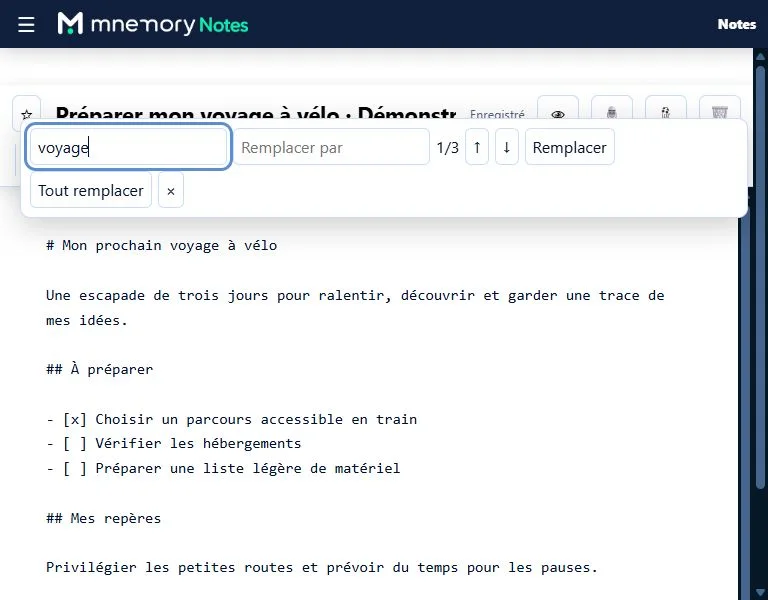
Screenshots of the live application, taken on 21 September 2026 with a fictional note. French interface on desktop, tablet and phone.
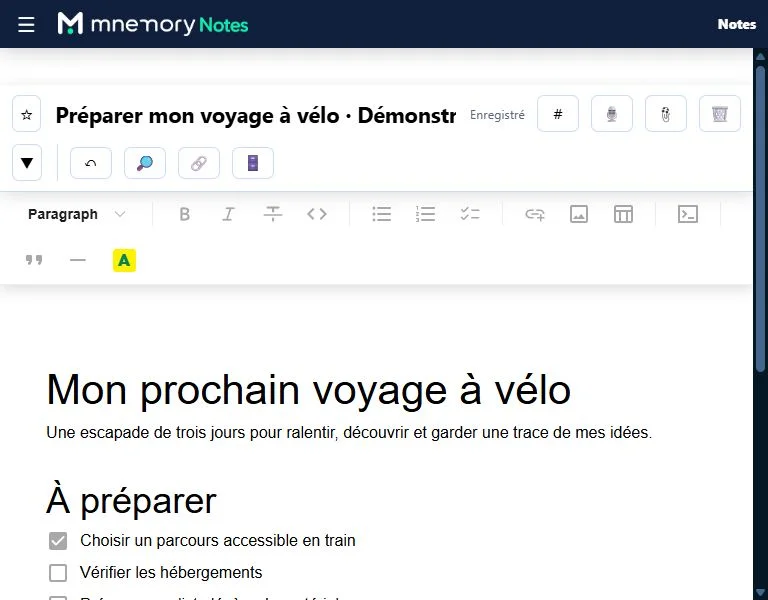
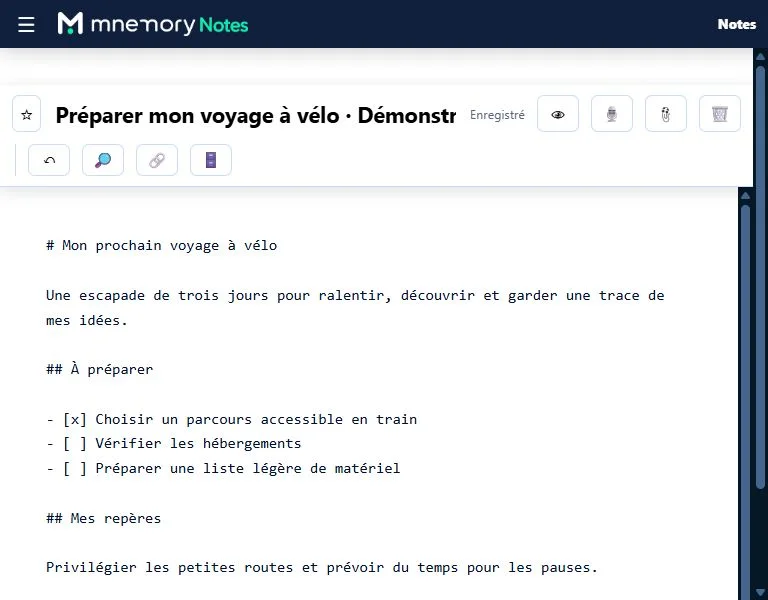
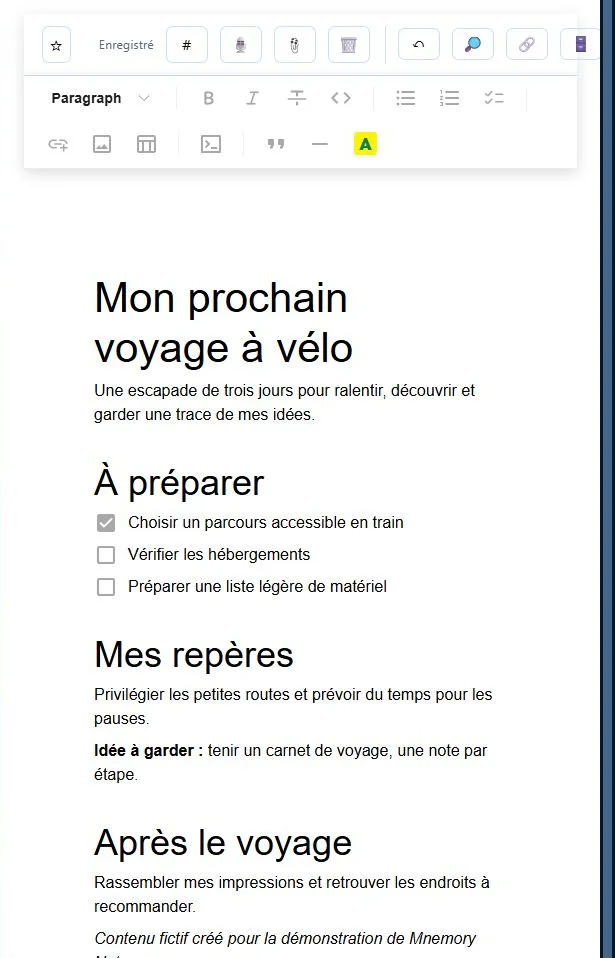
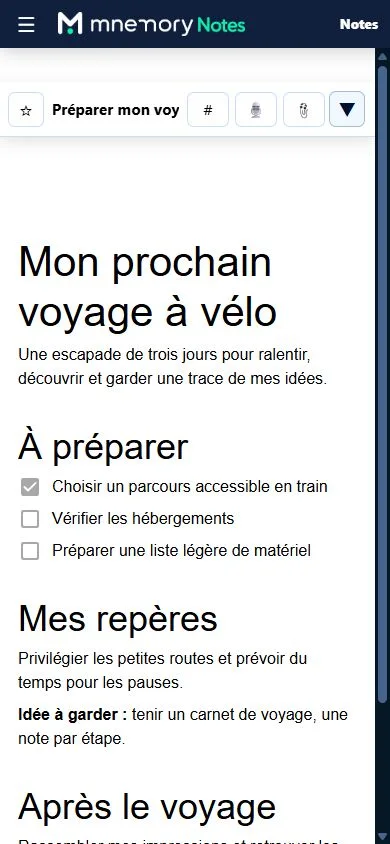
- Write a note or import Markdown files.
- Attach a document; use dictation if enabled.
- Find information using search and links between notes.
- If you choose, query your sources with an authorised AI.
- Export your notes and attachments to keep them elsewhere.
From notebooks in 1987 to memory within reach
My first notebook dates from 28 November 1987. Since then, several dozen notebooks have gathered reading, ideas, encounters, decisions and projects. Their value grew, but their contents became harder to carry, find and connect. Mnemory Notes grew out of this practical problem: making that memory accessible across screens, without locking it into a proprietary format or requiring artificial intelligence.
Philippe Contal, founder of Mnemory
Discover Mnemory Notes
Choose your note-taking software
Checked on 21 September 2026 against official documentation. Plans and scope differ: this is not a ranking. Prices use the source currency without conversion; AI features may require another plan or a paid provider.
The key differences concern note formats, export, synchronisation and the role of AI. Mnemory Notes offers a personal memory in Markdown, accessible on the Web with optional assistants. Obsidian and Joplin keep local notes; Evernote and Notion offer other formats and plan scopes.
Compare features and pricing
Scroll horizontally to compare
| Criterion | Mnemory Notes [1] | Evernote [2] | Notion [3] | Obsidian [4] | Joplin [5] |
|---|---|---|---|---|---|
| Markdown and export | Native: Markdown, attachments and JSON manifest in a ZIP. | Native ENEX or HTML export on desktop, by notebook. Markdown not offered in this export. | Native Markdown, CSV and file export. Does not recreate the workspace exactly. | Local Markdown files, copyable with the attachments folder. | Markdown notes; native JEX export with notes and metadata. |
| Attachments | Native, within Essential’s 2 GB. | Native: 200 on Free, 1,000 on Starter. | Native, files included in export. | Files in the local vault. | Native. Cloud Basic: 10 MB per note or attachment. |
| AI queries | On request, selected sources; optional ChatGPT and Claude connectors. | Native AI Assistant, subject to plan and limits. | Native AI depending on plan; meeting transcription on Business, Enterprise or eligible mobile subscriptions. | Via community plugins, with your chosen provider. | Native desktop AI, off by default; configure a local or remote model. |
| Multiple devices | Web / PWA, sync included. | Free: 1 device; Starter: 3; Advanced: unlimited subject to safeguards. | Web and apps; hosted workspace. | Local apps; optional paid Sync service. | Local apps; Cloud sync or a compatible service. |
| Reference price | Essential: €39/year or €3.90/month incl. tax, 2 GB. | Free: no charge, 50 notes, 1 GB and 1 device. Check Starter pricing at checkout. | Free: USD 0. Free individual plan; AI features depend on plan. | Free app. Sync: USD 4/month billed annually or USD 5 monthly. | Free app. Cloud Basic: €28.69/year or €2.99/month, 2 GB. |
- Mnemory Notes : Offer · Terms · Privacy
- Evernote : Plans · Export
- Notion : Plans · Export · AI · Apps
- Obsidian : Plans · Markdown · Extensions
- Joplin : Plans · Help · Export · AI
A few useful answers
Are my notes sent to the assistants?
Only within the access you authorise. Content accessed by an assistant is sent to its provider and subject to its terms. Plan eligibility alone never grants access to your notes.
How do I connect an assistant?
Sign in to Mnemory Notes, open AI connections and follow the instructions for your assistant. Then choose your folders and permissions. Access follows your plan’s existing terms, including eligible trials. Your assistant must support custom connectors. An HTTP 400 error may still occur during initial discovery in Claude; its cause remains unconfirmed.
Can I use Notes without connecting an assistant?
Yes. Write, organise, search and export notes without connecting ChatGPT or Claude. Search and select sources on Mnemory infrastructure, then use controlled external generation only when requested.
Start with your first note.
Give your next project a starting point.
For journalists and software directories
Published in France by iSDO. Active data hosted by OVH in Gravelines, France. An external AI receives only the content you authorise it to access, under its own terms.
Interface in French, English, German and Spanish.